




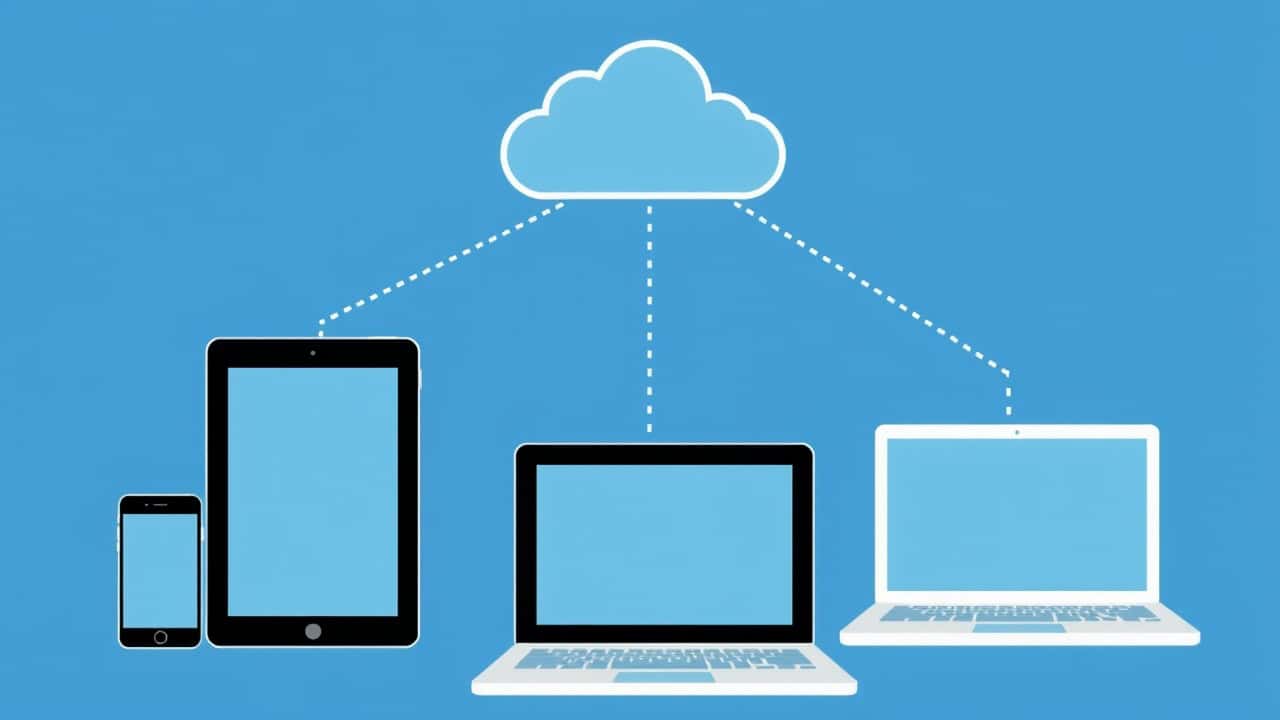
Cloud computing has revolutionized the way businesses operate and individuals interact with technology. It is a transformative paradigm that delivers computing parts—including servers, storage, databases, networking, software, analytics, and intelligence—over the Internet (“the cloud”) to offer faster innovation, flexible resources, and economies of scale.
From accessing applications to storing vast amounts of data, cloud computing is becoming an integral part of our daily lives. Understanding the different facets of cloud computing, including its deployment models, service models, and benefits, is essential for leveraging its full potential. We will also address some prevalent cloud myths, offering a clearer perspective on this technology.

Cloud Deployment Models:
Cloud installation models define where your data and applications reside and who manages the infrastructure. The three main types of cloud installation are public cloud, private cloud, and hybrid cloud.
Selecting the right cloud model depends on an organization’s specific needs, security requirements, and budget considerations, as each type of cloud installation provides unique benefits.
|
Cloud Installation Model |
Description |
|
Public Cloud |
A cloud service provider like AWS, Microsoft Azure, or Google Cloud owns and operates computing resources. |
|
Private Cloud |
Used exclusively by a single organization, providing greater control and security, and it can be located on-premises or managed by a third-party cloud provider. |
|
Hybrid Cloud |
Combines elements of both public and private clouds, allowing data and applications to be shared between them, offering flexibility and optimizing infrastructure, security, and performance. |
What are the biggest cloud myths?
Despite the widespread adoption of cloud computing, several myths persist. One common misconception is that “the cloud” is less secure than on-premises infrastructure. In reality, reputable cloud providers invest heavily in security measures and often provide a more secure environment than many organizations can achieve on their own.
Another myth is that cloud migration is always complex and expensive. While some cloud migration projects can be challenging, there are strategies and tools available to simplify the process. Also, believing that the cloud is only for large enterprises is incorrect; small and medium-sized businesses can also use cloud computing to improve efficiency and reduce costs. Understanding and debunking these myths is crucial for making informed decisions about moving to the cloud.

Understanding Cloud Computing:
Cloud Computing Defined:
Cloud computing represents a paradigm shift in how we access and utilize computing parts. At its core, cloud computing is the delivery of on-demand computing power, database storage, applications, and other IT resources through a cloud platform via the Internet with pay-as-you-go pricing. Instead of owning and maintaining physical data centers and servers, organizations can access these resources from a cloud service provider.
This model allows businesses to use cloud technologies and to scale their computing infrastructure based on their needs, paying only for what they use. The cloud computing architecture makes it easier to deploy and manage applications in the cloud, offering agility and cost-efficiency.
How Cloud Computing Works:
Cloud computing functions by virtualizing computing parts and making them accessible over the Internet. A cloud service provider maintains a network of physical servers and infrastructure, which is then partitioned into virtual machines and other computing parts. The cloud service provider makes these resources available to users through a web-based interface or API, enabling them to deploy and manage applications and data remotely.
This allows users to use cloud computing for various purposes, from storing files to running complex applications. Different cloud models, such as infrastructure as a service (IaaS), platform as a service (PaaS), and software as a service (SaaS), offer different levels of abstraction and control over the underlying infrastructure.
Basics of Cloud Technologies:
Several key technologies underpin cloud computing, including virtualization, service-oriented architecture, and automation. Virtualization allows multiple operating system instances to run on a single physical server, maximizing resource utilization. Service-oriented architecture (SOA) enables applications to be built as a collection of loosely coupled services, making them easier to scale and maintain.
Automation tools are used to provision and manage cloud parts, streamlining deployment and reducing manual effort. These cloud technologies enable cloud providers to deliver a wide range of cloud computing services, from basic storage and computing power to advanced analytics and machine learning.
Understanding these cloud technologies is essential for leveraging the benefits of cloud computing and choosing the right cloud solution for your needs, whether it’s a public cloud, private cloud, or hybrid cloud deployment.
Cloud Computing: Definition, Uses, and Benefits:
Cloud computing offers a broad spectrum of cloud computing services and solutions, enabling businesses to avoid the upfront costs and complexity of owning and managing their own IT infrastructure. We can categorize these services as follows:
|
Service Type |
Description |
|
Infrastructure as a Service (IaaS) |
Provides access to fundamental computing parts like virtual machines, storage, and networks. |
|
Platform as a Service (PaaS) |
Offers a platform for developing, running, and managing applications without the complexity of managing the underlying infrastructure. |
|
Software as a Service (SaaS) |
Delivers ready-to-use cloud applications over the Internet. |
The benefits of cloud computing are many, including cost savings, scalability, reliability, and accessibility, making it a significant change for organizations of all sizes. This cloud computing architecture allows users to use cloud technologies to the maximum.
Types of Cloud Computing:
Types of Cloud Deployment:
Understanding the cloud deployment models is crucial for organizations looking to use cloud computing effectively. The three main types of cloud deployment are public cloud, private cloud, and hybrid cloud.
A cloud service provider, such as AWS or Microsoft Azure, owns and operates the computing parts of a public cloud. A private cloud offers dedicated resources for a single organization, enhancing security. The hybrid cloud combines both, offering a flexible mix of resources. Each type of cloud deployment provides unique advantages depending on business needs.
Models of Cloud Computing:
Beyond deployment types, understanding cloud computing models is essential. Infrastructure as a Service (IaaS) gives you access to basic computing resources, like virtual machines and storage. Platform as a service (PaaS) delivers a platform for developing and running cloud applications, and software as a service (SaaS) offers ready-to-use cloud applications over the Internet.
Choosing the right cloud model depends on the level of control and flexibility an organization requires. Serverless computing is also gaining traction, abstracting the underlying cloud infrastructure even further and providing a new way to use cloud computing.
Hybrid Cloud Solutions:
A hybrid cloud environment offers a unique combination of public cloud and private cloud parts, providing businesses with enhanced flexibility. This cloud computing model allows organizations to keep sensitive data in a private cloud while leveraging the scalability of the public cloud for other workloads.
By combining the capabilities of both different cloud environments, businesses can optimize costs, improve performance, and maintain control over their cloud data. Cloud migration to a hybrid cloud requires careful planning to ensure seamless integration between the different cloud environments.
Cloud Computing Services:
Types of Cloud Computing Services:
Cloud computing services encompass a wide array of offerings designed to meet diverse business needs. These services generally fall into three main categories: infrastructure as a service (IaaS), platform as a service (PaaS), and software as a service (SaaS). Each of these cloud computing services offers a different level of abstraction and control.
With IaaS, businesses manage the operating system, storage, deployed cloud applications, and networking. PaaS provides a development environment, while SaaS offers ready-to-use cloud applications. Understanding these distinctions enables organizations to choose the cloud solution that best fits their requirements.
Popular Cloud Services: AWS and Others:
Several prominent cloud vendors dominate the cloud computing landscape, each offering a wide range of services. Amazon Web Services (AWS) is a leading cloud service provider, offering services from computing power to databases and analytics. Microsoft Azure is another major player, known for its integration with Windows-based systems.
Google Cloud is also a significant contender, with strengths in data analytics and machine learning. These cloud service providers provide the cloud technologies that allow organizations to use cloud computing effectively and efficiently, allowing users to move to the cloud.
Cloud Infrastructure Overview:
The cloud infrastructure forms the backbone of cloud computing, consisting of the hardware and software components that support the delivery of cloud computing services. This includes servers, storage devices, networking equipment, and virtualization software.
Cloud providers handle the management and maintenance of the cloud infrastructure, freeing organizations from the burden of owning and operating their own data centers. A well-designed cloud computing architecture ensures scalability, reliability, and security. By leveraging a robust cloud infrastructure, businesses can focus on innovation and growth, knowing that their computing infrastructure is in capable hands.
Benefits of Cloud Computing:
Key Benefits of Using Cloud Computing:
One of the most significant benefits of cloud computing is cost savings. By using cloud computing, businesses can avoid the capital expenditures associated with purchasing and maintaining their own computing infrastructure. Instead, they pay only for the computing resources they consume from a cloud service provider.
Scalability is another key advantage, as businesses can quickly scale up or down their resources based on demand. Cloud computing also enhances collaboration, as teams can access and share data and cloud applications from anywhere with an internet connection, fostering greater productivity and innovation.
|
Advantage |
Description |
|
Cost Savings |
Avoid capital expenditures by paying only for consumed computing resources. |
|
Scalability |
Quickly scale resources up or down based on demand. |
How Businesses Benefit from Cloud Solutions:
Businesses can leverage cloud computing services to gain a competitive edge in today’s fast-paced market. The agility and flexibility offered by the cloud platform allow organizations to respond quickly to changing market conditions and customer demands.
Cloud migration enables businesses to focus on their core competencies rather than managing IT infrastructure. Cloud computing also facilitates innovation by providing access to a wide range of cloud technologies, such as artificial intelligence and machine learning, that can develop new products and services. To ensure data is safe, cloud computing also provides disaster recovery and backup solutions.
Moving to the Cloud: Advantages and Considerations: Advantages of Cloud Computing:
Before organizations adopt cloud computing, they must carefully assess their specific needs and requirements. Choosing the right cloud model, whether it’s a public cloud, private cloud, or hybrid cloud, is essential for optimizing performance and cost. Security is another critical consideration, and businesses need to implement robust security measures to protect their cloud data.
Cloud migration can be complex, so it’s important to develop a well-defined plan and consider factors like data migration, application compatibility, and integration with existing systems. Understanding types of cloud computing and its services can lead to better decisions. Oracle Cloud is the one of best solutions. As a cloud provider, AWS and Google Cloud are two of the main cloud computing.
Ensuring Cloud Security:
Understanding Cloud Security Challenges:
While cloud computing offers numerous benefits of cloud computing, it also introduces new security challenges. One of the primary concerns is data breaches, as sensitive data stored in the public cloud can be vulnerable to cyberattacks.
Compliance with industry regulations and data privacy laws is another key challenge. Organizations need to ensure that their cloud service provider meets the necessary security and compliance standards. Managing access control and identities is also critical to prevent unauthorized access to cloud data and resources. Selecting a good cloud provider is half of the security measure.
Best Practices for Cloud Security:
To mitigate cloud security risks, organizations should adopt a multi-layered security approach. This includes implementing strong access controls, encrypting cloud data at rest and in transit, and regularly monitoring security logs and alerts.
Use cloud security tools and services provided by cloud service providers, such as firewalls, intrusion detection systems, and data loss prevention tools. Regularly conduct security assessments and penetration testing to identify vulnerabilities. Implement a robust incident response plan for the quick addressing of any security breaches.
Keep operating system and software for cloud applications current. Amazon Web Services or Microsoft Azure are the most secure ones. You can use multiple cloud or third-party cloud service providers or cloud systems as cloud strategy to learn more about cloud. Public cloud providers or public cloud services are the best solutions to address modern cloud to companies are using the cloud.
How to Protect Your Data in the Cloud:
Protecting data in “the cloud” requires a combination of technical and organizational measures. Proper classification and labeling of cloud data will enforce access controls. Implement data loss prevention (DLP) policies to prevent sensitive data from leaving the cloud environment. Regularly back up cloud data to ensure business continuity in the event of a disaster.
Educate employees about cloud security
best practices and the importance of protecting sensitive data. By implementing these measures, organizations can significantly reduce the risk of data breaches and ensure the confidentiality, integrity, and availability of their cloud data. You may choose private cloud in order to increase the security.


